Notice for Apple Mac users

Sample Animations

Using Our Software

Teachers using an Interactive Whiteboard

Students using an Interactive Whiteboard

Using Our software on computers

Interactive worksheets

PDF worksheets


Free crosswords for design & technology

Interactive crosswords and PDF versions

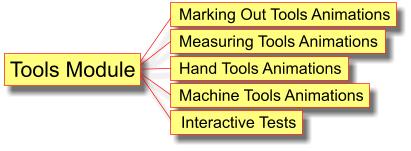
The Measuring and Marking Out Animations software package consists of 3 sets of animations, safety rules, detailed safety notes and risk assessment exercises.  

The Measuring and Marking Out Animation package is intended to be used with the Machine Tools and the Hand Tools animation packages.  Together they cover the tools students are likely to use in design and technology for measuring, marking out and cutting and shaping resistant materials.

The Measuring and Marking Out animation is part of the KS3 Design and Technology and the KS4 Design and Resistant Materials Technology software packages. It consists of three sets of animations.

Click on the links below to see demo versions of the animations.

The measuring and marking out tools described in the animations are listed below.

Measuring Tools animation illustrates:

  • steel rule
  • micrometer
  • digital micrometer
  • vernier caliper
  • height gauge
  • depth gauge
  • micrometer depth gauge
  • internal caliper
  • external caliper
  • combination set
  • dial gauge 
  • screw pitch gauge
  • feeler gauge
  • limit plug gauges (GO / NOGO gauges)
  • limit ring gauge
  • snap gauge
  • drill gauge
  • radius gauge
  • protractor
  • spirit level
  • electronic devices 

Marking Out Tools animation illustrates:

  • pens and pencils
  • scriber
  • marking knife
  • engineer's square
  • woodworker's try square
  • dividers trammel
  • odd leg calipers
  • marking gauge 
  • cutting gauge
  • mortice gauge
  • centre punch
  • dot punch
  • mitre square
  • centre square
  • sliding bevel
  • bradawl
  • surface gauge
  • straight edge
  • vee block
  • angle plate
  • templates
  • surface plate

Learning Objectives

Students will learn:

The interactive test will:

With regard to safety, students will learn:

This product is suitable for Key Stage 3 and Key Stage 4 students.   

Big discounts on all licences
 
Single User Licence
Site Licence
Measuring and Marking Out Tools
Was £15, now £12
Was £40, now £25
KS3 D&T
Was £45, now £30
Was £120, now £60
KS4 D&RMT
Was £45, now £30
Was £120, now £60
KS3 / KS4 D&T bundle
Was £65, now £40
Was £150, now £75

Click on a link below, fill in an order form,
then download our D&T software

Pay using a Credit Card
Invoice my school / college


Measuring and Marking Out Animations

Minimum System Requirements
Disk space: 2.2MB
Platform: PC.
For Apple Macs, use the CD version of the software
Minimum screen resolution: 800 x 600
OS Compatibility: Microsoft Windows 2000 and later
Browser: Any
Media: Download
Unzip software: Any

Note: Two versions in one package.

The Measuring and Marking Out Animation package contains two versions of the product.  One version has installer software for installing the product onto a computer hard drive.  The other version is a CD version.  The CD version has autorun files that make it suitable for copying onto CDs.  The CD version is intended for schools that have paid for a school site licence to copy the software onto CDs for pupils enrolled at their school (only)  and for it to be a convenient way for teachers to take the software into classrooms with an interactive white board.

Virtual Learning Environments (VLEs)

The files in the CD version folder make it easy to select individual files that you may want to load into a VLE.