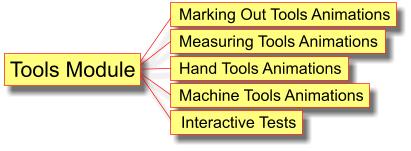
The Machine Tools Animation package has been combined with the Measuring and Making Out and the Hand Tools packages to form a new comprehensive and cost effective Tools Module.
The Machine Tools Animation package consists of animations of the various machines and power tools that may be used in school Design and Technology lessons.
The Machine Tool Animations illustrate:
- CNC:
- description of computer numerical control
- links between CAD, CAM and computer control
- main difference between manual and CNC machines
- 5 axis CNC miller
- CNC lathe
- buffer:
- using a buffer
- pickling
- etching
- sanding machines
- disc sander
- orbital sander
- belt sander
- reciprocating sander
- spindle sander
- abrasive papers and cloths
- abrading
- emery cloth
- grinding machines:
- bench grinder
- surface grinder
- angle grinder
- drilling machines:
- pillar drill
- chuck key safety
- portable power drill
- twist drill bit
- SDS drill bit
- taper shank drill bit
- grinding angles for drill bits
- reamers
- centre drill
- countersinks
- masonry drill bit
- brad point drill bit
- auger bits
- flat bit
- Forstner bit
- counterbore and plug cutter
- hole saw
- vertical milling machine
- router (power router):
- router cutters
- router collet
- setting the depth of cut
- using a power router
- routing jig
- router safety
- horizontal milling machine
- centre lathe:
- lathe parts
- holding work in a three jaw chuck
- holding work in a four jaw chuck
- turning between centres
- facing off
- parallel turning
- taper turning
- cutting tools
- cutting tool grinding angles
- power hacksaw
- planer / thicknesser:
- planing a face
- planing an edge
- thicknessing
- wood saws:
- bandsaw
- using a bandsaw
- circular saw
- circular saw power tool
- jig saw
- fret saw:
- parallel arm mechanism
- parallel link arm mechanism
- C-arm mechanism
- bandsaw
- morticer:
- using a morticer
- wood lathe:
- belt and pulley arrangement
- turning between centres
- turning on a face plate
- scraping action
- cutting action
- chisels, scrapers and gouges
- Shears:
- bench shears
- pneumatic guillotine
- press tool.
Interactive Tests
To complement the machine tools animations, the new Tools Module has two interactive tests that help students learn the names of 25 commonly used D&T machine and power tools.
View the demo here.
Learning Objectives
By working through the machine tools section of the Tools Module, students will learn:
- that machine tools can be controlled manually and/or by computer numerical control
- the names of the machine tools and power tools used to cut and shape resistant materials
- what the various machine tools and power tools are used for
- to choose the correct machine tool or power tool for any given cutting and shaping operation.
This product is suitable for Key Stage 3 and Key Stage 4 students.
Order the Tools Module
Single User Licence - £30 / School Site Licence - £60 |
Download links will be emailed to you/your school within 24 hours of receipt of your order.
Tools Module formats
The Tools Module is supplied in either:
- Windows installer version. This is the most commonly used format for use with computers and computer networks.
- File format for use with Apple Macs. (See information about using our software with Apple Macs)
Add Extra Modules to the Tools Module software
Buying a licence for our software bundles is much more economical than licencing individual software packages.
Click here to view details of our other software packages and economical software bundles.